Find your dream home or grow your real estate business with ease
The platform was designed to simplify the real estate journey for both home seekers and real estate professionals.
Client
Centerhome, Bank CenterCredit (BCC)
Location
Almaty, Kazakhstan
Timelines
Feb 2021 - Oct 2021
Project overview
Mobile app
End-to-end design
Design System
Research & Strategy
Helping users find the right place, faster and with less effort.
For buyers and renters, a comprehensive filtering system makes it easier to narrow down listings and find relevant properties faster. Users can also save favorite listings and organize them into collections, making it easier to keep track of properties they’re considering. A smart mortgage calculator helps users estimate their monthly costs and better understand what they can afford.
Built for Buyers & Renters

Built for Real Estate Business & agents
Helping professionals manage, promote, and grow their business.
For real estate professionals, the platform brings essential business tools into one place — including a CRM, admin panel, and promotion tools to help manage leads, listings, and business growth more efficiently.


Shaping the product
A deep dive into existing business processes, user interviews, and focus groups helped me uncover key usability and experience gaps. The insights synthesized from this research shaped new features and improvements across the product, serving both the marketplace and real estate professionals across desktop and mobile.


Where does the home-buying journey get complicated?
01
The mortgage process felt difficult to navigate.
Many users struggled to understand how mortgage rates and repayment costs were calculated. With multiple factors affecting the final amount, figuring out what they could realistically afford often required additional research or expert help.
Solution
We introduced a smart mortgage calculator that brings the key factors into one simple flow. Users can enter their financial details, loan amount, and preferred terms to get a personalized estimate of their mortgage costs and apply for preliminary approval - all within the same experience.
02
Property listings didn't tell the whole story.
Users often lacked important context when comparing properties, from pricing history to neighborhood details.
Solution
We expanded property information beyond the basic listing details, bringing relevant specifications, location insights, pricing information, and community feedback into the experience.
Design System
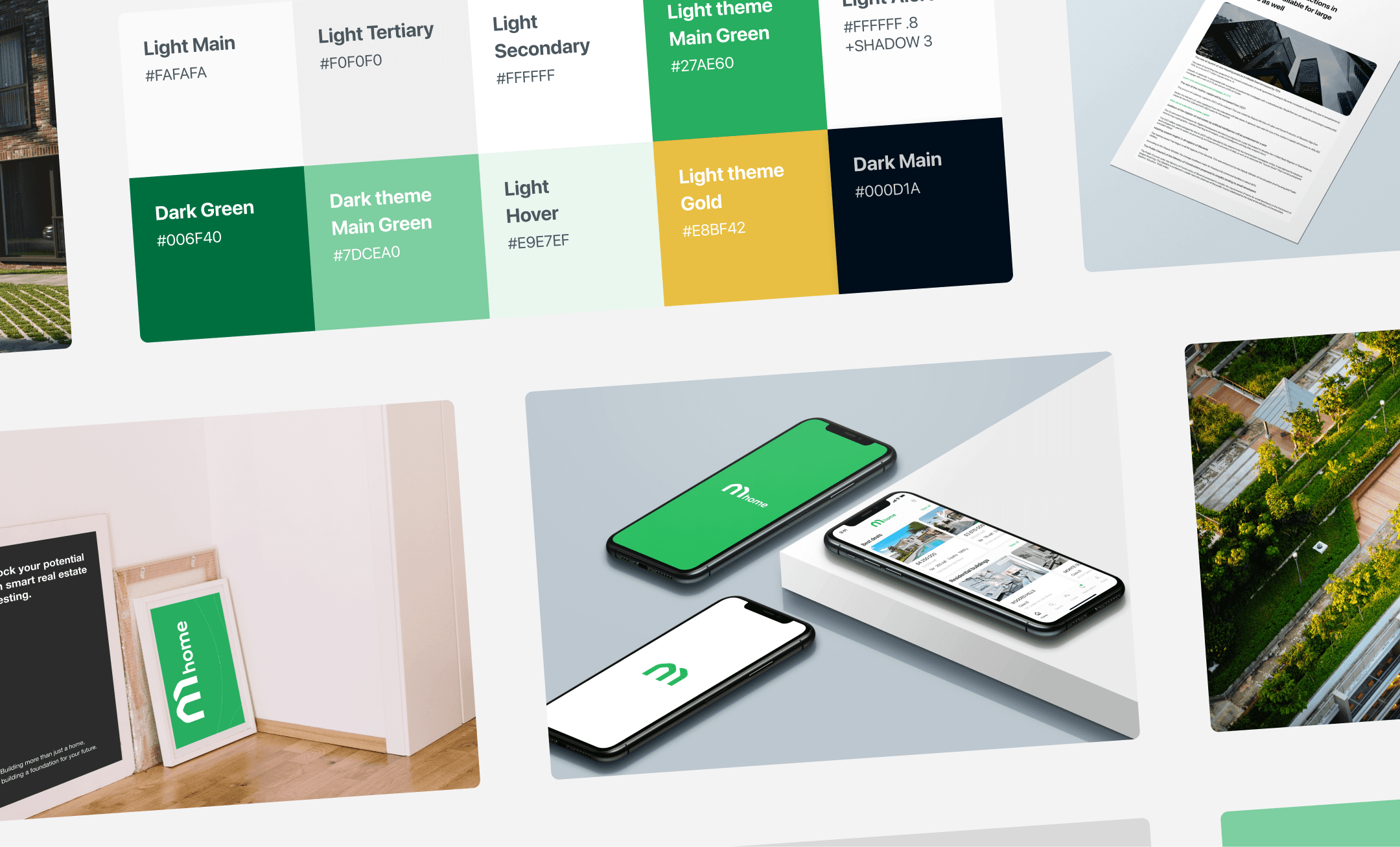
A unified design system brought consistency across the marketplace, creating a shared visual and interaction language across web and mobile.
A consistent language across the product
Visual Identity
Typography
SF Pro was chosen for its clarity, flexibility, and strong legibility across web and mobile. It provided a consistent typographic foundation, helping users scan property information, navigate the marketplace, and understand complex financial details with ease.
Color
The color palette was designed to create a visual identity that feels trustworthy, calm, and connected to the idea of home. Green became the primary brand color, reflecting associations with growth, stability, and renewal while bringing a sense of balance and confidence to the experience.
Homepage
01
Search and filtering are central to the homepage, giving users a quick and intuitive way to narrow down listings and find relevant properties.

Add property
02
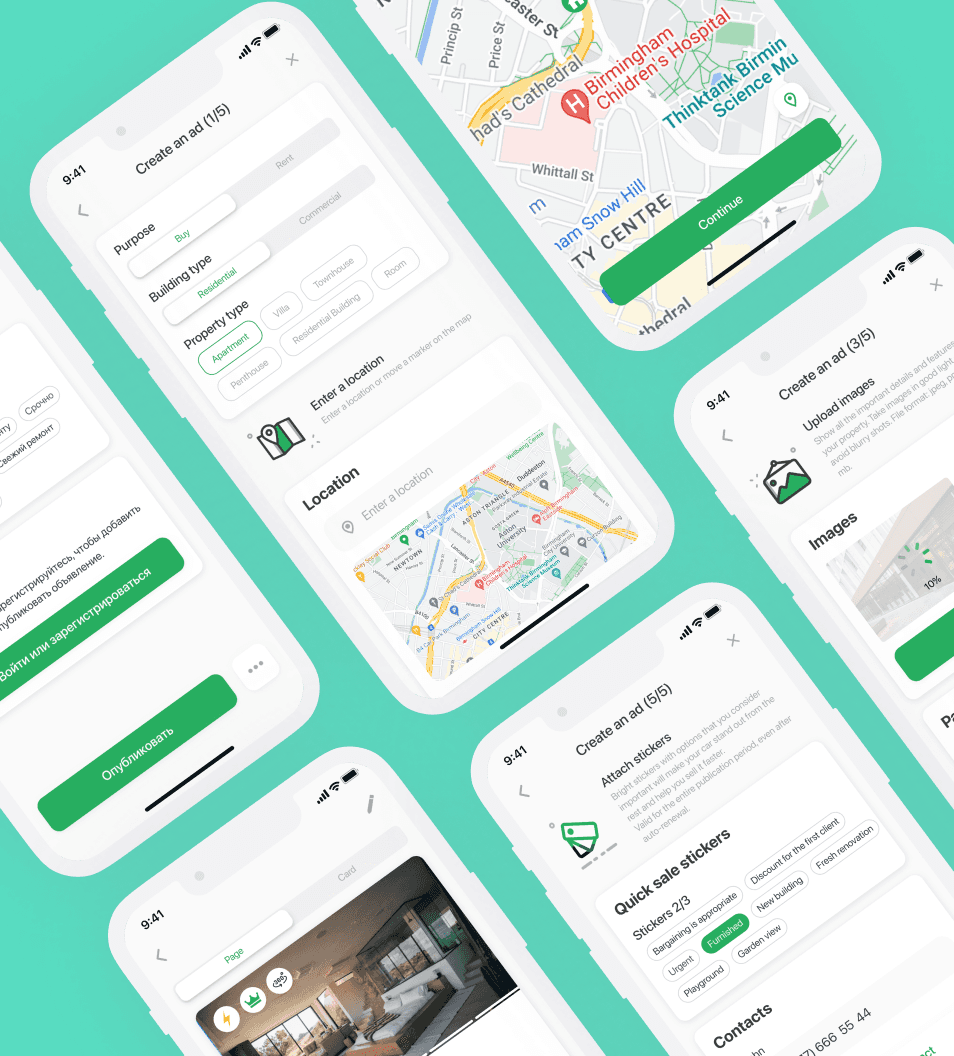
This flow guides users through creating a listing with a clear, step-by-step form. Progress indicators break the process into manageable stages, making it easy to understand what’s required and track progress from start to finish.


Ad details
03
The property details page brings everything users need to evaluate a property into one place. It combines key information - from property type, location, and characteristics to pricing and building details - with rich media such as photos and videos. Clear descriptions and seller contact information make it easy to understand the property and take the next step with confidence.

Explore properties on the map
04
The map view gives users a more intuitive way to explore properties by location. Search filters help narrow results by criteria such as property type, price range, and amenities, while interactive markers make it easy to browse available listings and preview key details without leaving the map.

New developments
05
This experience helps users explore residential complexes and make more informed decisions. Users can browse available developments, compare layouts and building phases, explore floor plans, and access key property details and reviews - all in one place.

Trusted by many